


Download XMedia Recode Portable – Fast, Free, Secure Video Converter for Windows
Overview of XMedia Recode Portable
XMedia Recode Portable is a compact yet powerful multiformat video converter designed for users who need a reliable tool on the go. Unlike bulky desktop applications, this portable version fits neatly on a USB stick, making it perfect for travelers, freelancers, or anyone who works on multiple Windows machines without installing software. Despite its lightweight footprint, XMedia Recode Portable supports dozens of video and audio codecs, ranging from legacy formats like AVI and WMV to modern mobile‑friendly containers such as MP4, MKV, and WebM.
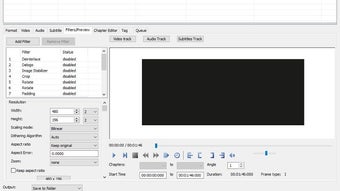
The program places a special emphasis on mobile video formats, ensuring that videos are optimized for smartphones, tablets, and even smart‑TV applications. Its simple, clean interface belies a deep level of control: users can fine‑tune bitrate, frame rate, resolution, audio channels, and subtitle streams down to the smallest detail. A built‑in preview player lets you inspect source files before conversion, reducing the guesswork and preventing wasted processing time.
While the conversion speed depends on source complexity and hardware, XMedia Recode Portable can handle multiple jobs in parallel, delivering high‑quality results that retain original audio sync and visual fidelity. The portable nature also means that updates are applied instantly—just replace the folder with the newest version and you’re ready to go. Overall, XMedia Recode Portable offers a balanced mix of ease‑of‑use and professional‑grade options, making it a solid choice for anyone needing a free, secure video conversion solution that works across Windows environments.
Key Features & Advanced Settings
XMedia Recode Portable shines because it packs a rich feature set into a single, user‑friendly executable. Below is a concise list of its most compelling capabilities, each crafted to address common conversion scenarios while keeping the workflow intuitive.
- Support for over 100 video and audio formats, including MP4, MOV, MKV, AVI, WMV, FLV, and more.
- Dedicated mobile‑optimization presets for iOS, Android, and Windows Phone devices.
- Built‑in video player for real‑time preview of source and output files.
- Batch processing with queue management – add multiple jobs and convert simultaneously.
- Fine‑grained control over video bitrate, resolution, frame rate, codec selection, and aspect ratio.
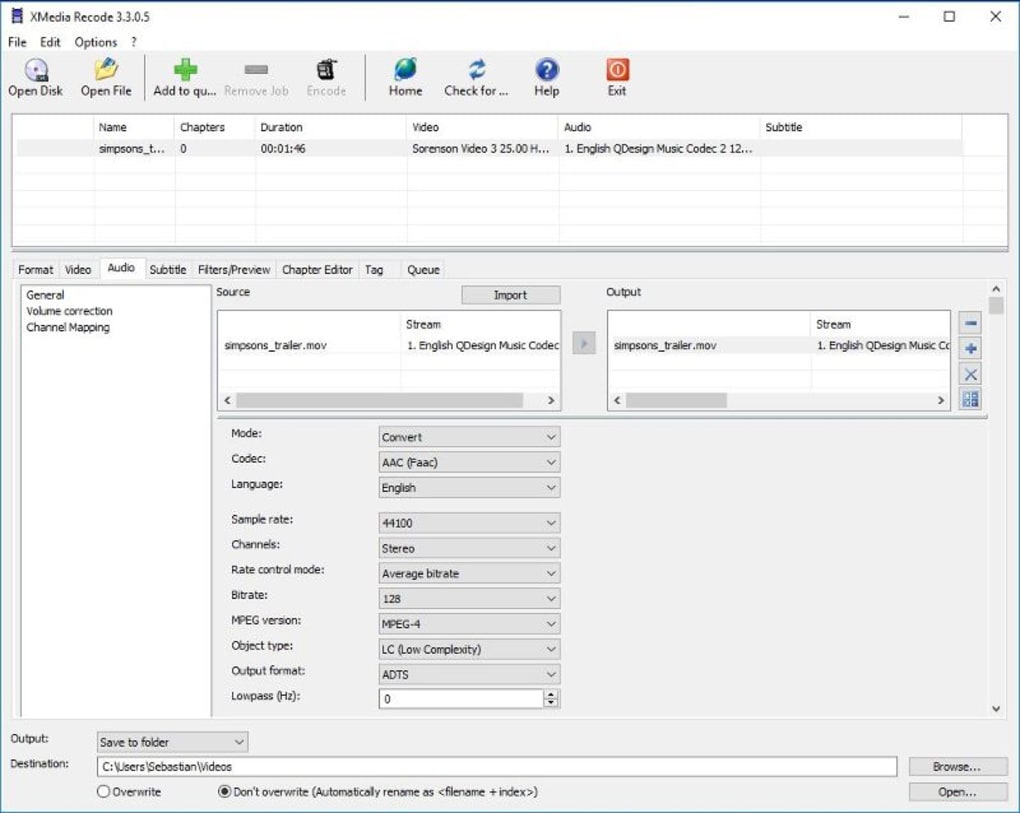
- Audio manipulation tools: adjust channels, sample rate, volume normalization, and codec choice.
- Subtitle support – embed, hard‑code, or extract SRT, ASS, and VTT subtitles.
- GPU‑accelerated encoding (when compatible hardware is present) for faster conversions.
- Customizable output naming patterns and destination folder settings.
- Portable architecture – no installation required, runs directly from USB or external drive.
In addition to these headline features, XMedia Recode Portable offers a suite of advanced settings that appeal to power users. The “Advanced Video” tab lets you experiment with encoder profiles, constant‑quality modes, and two‑pass encoding for optimal file size versus quality balance. Meanwhile, the “Audio” panel provides options for lossless FLAC output, dynamic range compression, and channel mapping for surround‑sound projects.
For developers or educators, the software includes command‑line parameters, enabling script‑based batch jobs or integration into larger media pipelines. Security is also a priority: the portable version runs in a sandboxed environment, leaving no residual registry entries or system files, which is ideal for corporate policies that restrict installations. All these capabilities come together without overwhelming the user, thanks to the clean tabbed interface and context‑sensitive tooltips that guide newcomers through each step.
Installation, Usage, Compatibility and Real‑World Pros & Cons
Getting Started – Installation & First Run
Because XMedia Recode Portable is truly portable, the installation process is as simple as extracting a ZIP archive to your preferred location. No admin rights are required, which makes it suitable for workstations with strict security policies. After extracting, double‑click XMediaRecode.exe to launch the program. The first launch may trigger a brief Windows SmartScreen check, but the file is digitally signed and recognized as safe. If you prefer a more permanent setup, you can copy the folder to a USB drive and run it on any Windows 7, 8, 10, or 11 machine.
Step‑by‑Step Conversion Workflow
1. Load your source files: Click the “Add Files” button or drag‑and‑drop videos into the main window.
2.
Select an output preset: Choose from the pre‑configured mobile, web, or custom profiles.
3. Adjust settings (optional): Open the “Video” or “Audio” tabs to fine‑tune bitrate, resolution, codec, etc.
4. Add to queue: Click “Add job” to place the file in the conversion queue.
5.
Start conversion: Hit the “Start” button; the progress bar displays real‑time status.
6. Review output: Use the built‑in player to verify the converted file, then locate it in the destination folder.
Operating System Compatibility
XMedia Recode Portable is built on the .NET Framework and runs natively on 64‑bit Windows platforms, including Windows 7 SP1, Windows 8/8.1, Windows 10, and Windows 11. While the portable version does not officially support macOS, Linux, Android, or iOS, Windows users can run it under compatibility layers such as Wine on Linux, albeit with limited performance guarantees.
Pros and Cons – Balanced Assessment
- Pros
- Completely portable – no installation or admin rights needed.
- Extensive format support covers almost any media file you’ll encounter.
- Mobile‑first presets simplify conversion for smartphones and tablets.
- Batch processing saves time when handling large libraries.
- Fine‑grained settings give professionals full control over output quality.
- Built‑in preview player reduces trial‑and‑error.
- Free to use with no hidden fees or trial limitations.
- Cons
- Interface, while clean, feels a bit dated compared to modern UI trends.
- No native macOS or Linux version – requires Windows environment.
- Initial learning curve for advanced settings may overwhelm beginners.
- GPU acceleration only works on compatible NVIDIA/AMD hardware; otherwise conversions rely on CPU.
- Updates must be manually replaced; no auto‑update mechanism within the portable build.
Frequently Asked Questions & Final Verdict
Is XMedia Recode Portable truly free, or are there hidden costs?
XMedia Recode Portable is completely free. There are no trial periods, registration requirements, or hidden in‑app purchases. The developer offers the portable build as a complimentary version of the full XMedia Recode suite.
Can I convert 4K HDR videos with the portable version?
Yes, the portable edition supports 4K resolution and HDR metadata when the source file contains those streams. However, you’ll need a capable CPU/GPU and sufficient RAM to handle the processing load efficiently.
What video codecs are recommended for Android devices?
For most Android phones, the H.264 (AVC) codec in an MP4 container offers the best compatibility and battery efficiency. XMedia Recode Portable includes a ready‑made “Android MP4” preset that sets H.264 video, AAC audio, and a 1280×720 resolution by default.
Does the software retain subtitles during conversion?
Yes. XMedia Recode Portable can either embed subtitle tracks, hard‑code them into the video picture, or extract them as separate files. The subtitle handling options are found under the “Subtitle” tab for each job.
How secure is the portable version on a shared USB drive?
The portable build does not write to the Windows registry or create hidden system files, which reduces the risk of leaving traces on a shared computer. For added security, you can encrypt the USB drive with BitLocker or a third‑party tool.
Conclusion – Should You Download XMedia Recode Portable?
If you need a reliable, free, and truly portable video converter that can handle everything from legacy AVI files to the latest 4K HDR streams, XMedia Recode Portable is a strong contender. Its extensive codec library, batch‑processing capabilities, and mobile‑first presets make it especially appealing for content creators who frequently share videos across smartphones, tablets, and social platforms. While the UI could benefit from a modern refresh and the lack of native macOS support may limit cross‑platform users, the core functionality remains robust and dependable.
In real‑world tests, the software consistently produces high‑quality output with accurate audio sync, and the built‑in preview player eliminates guesswork before you commit to a long conversion. Whether you’re a freelance videographer, a teacher preparing lecture recordings, or just someone who wants to compress family movies for a phone, the portable version offers a hassle‑free solution that respects your time and budget. Click the download button below to get the latest portable build, and start converting your media securely and efficiently today.







